
Sandeep Singh Sisodiya
No Code
June 25, 2025


Insights, ideas, and expert perspectives shared by the author on design, development, and digital growth.

Sandeep Singh Sisodiya
June 25, 2025
Integrating Webflow with leading email marketing platforms like Mailchimp, HubSpot, Klaviyo, ActiveCampaign, ConvertKit, and others can automate workflows, streamline lead management, and boost marketing efficiency. Below is a step-by-step guide to connecting Webflow with your preferred tool.
Best For: Email automation, audience segmentation, and campaign tracking.
✔ Automatically capture leads from Webflow forms.
✔ Send welcome emails right after form submission.
✔ Segment users based on their form responses for targeted campaigns.
Best For: CRM integration, automated follow-ups, and lead management.
✔ Sync Webflow form leads with HubSpot CRM automatically.
✔ Trigger automated follow-up emails.
✔ Build personalized marketing workflows based on user interactions.
Best For: E-commerce email automation & segmentation.
✔ Sync customer data from Webflow forms into Klaviyo.
✔ Trigger personalized email campaigns based on user actions.
✔ Automate abandoned cart emails to recover lost sales.
Best For: Advanced email automation & behavioral tracking.
✔ Automate personalized email sequences based on user behavior.
✔ Track lead activity and optimize follow-ups.
✔ Build dynamic audience segments for better targeting.
Best For: Bloggers, content creators & course sellers.
✔ Automate email sequences for new blog subscribers.
✔ Send lead magnets (eBooks, PDFs, etc.) after form submission.
✔ Segment subscribers for personalized content delivery.
✅ Enable double opt-in to comply with GDPR & CAN-SPAM regulations.
✅ Test form submissions before making them live.
✅ Add hidden UTM fields to track campaign sources.
✅ Sync leads with your CRM for better data management.
✅ Monitor email deliverability & engagement for optimal performance.
Sandeep Singh Sisodiya
June 25, 2025
When it comes to building an online store, two platforms stand out as industry leaders: Webflow E-Commerce and Shopify. Both offer unique features tailored to different kinds of businesses, but the question remains—which one is better for you? This blog breaks down the pros, cons, and key differences to help you make an informed decision.
Webflow is a website design and development platform that combines the power of visual design with the flexibility of custom code. Webflow E-Commerce takes this further by providing robust tools for creating beautiful, fully customizable online stores. It's ideal for those who prioritize design freedom and advanced functionality.
Shopify is a dedicated e-commerce platform that enables anyone to build an online store quickly and efficiently. Known for its user-friendly interface and extensive app ecosystem, Shopify is favorite for beginners and businesses looking to scale rapidly.
Webflow: Designed for tech-savvy users and web designers, Webflow has a steeper learning curve. Its interface allows for intricate design control, but beginners might find it overwhelming.
Shopify: Known for its simplicity, Shopify lets you set up a store in minutes. Its guided setup process is perfect for non-technical users.
Winner: Shopify
Webflow: Offers unparalleled design freedom with its drag-and-drop editor and the ability to edit HTML, CSS, and JavaScript. This makes it favorite for businesses that need a unique, brand-focused online presence.
Shopify: Provides pre-designed templates that are customizable to a certain extent. While they’re visually appealing, they can’t match Webflow’s level of customization.
Winner: Webflow
Webflow: Supports features like custom product pages, advanced animations, and CMS integration. However, its e-commerce functionality is still maturing and might lack some advanced tools like multi-currency support.
Shopify: Boasts a comprehensive suite of e-commerce tools, including inventory management, payment gateways, multi-language support, and a vast app marketplace.
Winner: Shopify
Webflow: Provides advanced SEO tools out of the box, including schema markup, custom meta tags, and 301 redirects. It’s a great choice for businesses that prioritize organic search rankings.
Shopify: Offers solid SEO capabilities but relies heavily on third-party apps for advanced functionality. It also excels in email marketing and social media integration.
Winner: Tie
Webflow: Pricing starts at $29/month for e-commerce plans. While it’s cost-effective for designers, add-ons and advanced features can increase costs.
Shopify: Pricing starts at $39/month for the Basic plan. Additional costs may arise from premium apps and transaction fees (unless using Shopify Payments).
Winner: Depends on your needs
Webflow is ideal for:
Shopify is perfect for:
Choosing between Webflow E-Commerce and Shopify depends entirely on your priorities:
Ultimately, both platforms have their strengths and weaknesses. By aligning your decision with your business goals and technical expertise, you’ll set yourself up for success in the competitive e-commerce landscape.
Need help deciding? Contact us to discuss your e-commerce needs and find the perfect solution for your business!

Sandeep Singh Sisodiya
June 25, 2025
When it comes to building websites, choosing the right platform is crucial. In 2024, the Webflow vs. Elementor debate is hot among web designers and developers. Both platforms offer unique features and functionalities tailored to different user needs. This blog will explore the key differences, pros, and prices of Webflow and Elementor. It will help you decide which to use.
Overview of Webflow and Elementor
Webflow is a powerful website builder. It is for professional designers and businesses. They want a complete tool to make custom, responsive websites. It excels in advanced design tools, a flexible CMS, and top-tier hosting. Webflow is known for its fast website speed, top hosting, and great support.
Elementor is a popular WordPress plugin. It lets users create and edit websites with a visual drag-and-drop interface. It is popular for its design features, ease of use, and a large library of templates and widgets. Elementor excels in design flexibility, AI, and plugins. It's great for both beginners and pros.
Webflow offers a great design experience. It has over 1,000 templates and many customization options. Elementor has more templates and designs. So, it is a better choice for those who want creative control.
Elementor features an intuitive design that allows users to build easily. It helps beginners create websites. Webflow is intuitive but has a steeper learning curve. It's tough for those new to web design.
Webflow has a full e-commerce platform It includes checkout and payment processing via Stripe and PayPal. Elementor integrates perfectly with WooCommerce. It offers customizable product pages and various e-commerce widgets.
Webflow offers managed hosting with excellent uptime and performance. Its global data centers ensure reliability. Elementor offers managed WordPress hosting but has a more limited infrastructure.
Both platforms are competitively priced. The choice depends on your needs and the features you value most.
In the Webflow vs. Elementor debate, the best choice depends on your needs.
Choose Webflow if you are a designer. It has advanced customization, superior hosting, and great support. It is ideal for creating high-performance websites with extensive e-commerce capabilities.
Select Elementor for its intuitive interface if you're familiar with WordPress. Its drag-and-drop feature and templates are great for beginners. They also suit those wanting flexibility.
In summary, both platforms have their strengths and weaknesses. Check your needs. Then, choose the best platform for your 2024 goals. Both Webflow and Elementor offer powerful tools. They can help you create stunning websites that meet your business goals.

Sandeep Singh Sisodiya
June 25, 2025
Webflow is a powerful website builder that prioritizes security. It's a popular choice for those wanting a strong online presence. With the rise of cyber threats, Webflow security is vital for anyone considering it for their website. This blog will explore how Webflow keeps users safe with its security measures.
Webflow's security framework is strong. It uses top technologies and practices to protect user data and websites. Here are some key aspects of Webflow security:
Webflow is hosted on Amazon Web Services (AWS). It provides a secure, reliable environment for hosting websites. AWS is known for its strong security features. They include data encryption, automated backups, and DDoS protection. This infrastructure significantly enhances the security of websites built on the Webflow platform.
Every website hosted on Webflow comes with free SSL (Secure Socket Layer) certification. SSL encrypts data exchanged between the user's browser and the website. It keeps sensitive information, like personal and payment details, confidential. This is vital for e-commerce sites and those that collect user data.
Webflow commits to upholding the highest security standards. The platform undergoes periodic refreshes to cut security weaknesses. The company issues prompt security patches to counter malicious threats and breaches. Additionally, Webflow conducts periodic security audits to identify and mitigate potential threats.
Webflow backs up all websites automatically. Users can restore their sites if they lose data or suffer a cyberattack. This feature assures users. Their website data is secure and recoverable.
Webflow meets strict compliance standards, including SOC 2. It evaluates the security and privacy of service providers. It ensures Webflow follows strict procedures to protect user data and confidentiality.
Webflow uses strong security for user accounts. It includes two-factor authentication (2FA) and secure login protocols. These measures help prevent unauthorized access and protect users' websites from potential intrusions.
Webflow ensures that its employees are well-trained in security protocols. The company runs regular security training and background checks. This keeps a secure work environment and improves its platform's security.
In conclusion, Webflow's security is strong and complete. It is a reliable choice for building and hosting websites. Webflow prioritizes its users' safety and data. It has SSL encryption, secure AWS hosting, and strong user protections. It also has regular updates. Webflow is a secure platform. You can focus on creating content and growing your online presence.
For anyone considering Webflow, these security measures protect your site. They also provide peace of mind in a digital world. Webflow has the tools and security to help you succeed online. This is true for both small business owners and seasoned web designers.

This article will provide you with the top five eCommerce development platforms and the benefits each one offers.
eCommerce has been rapidly growing in popularity over recent years, and with that growth in popularity comes an increase in competition – both local and global. There is a wide variety of platforms available for use that can help with different aspects of running an online store; we call these eCommerce Development Platforms (EDPs).
Most Popular eCommerce Development Platform:
We’ve put together this list of the top 5 EDPs in order to help you make the right decision.
BigCommerce offers online retailers an intuitive platform that has been designed to facilitate on-page and mobile commerce experiences. The BigCommerce platform brings together the best open source and proprietary software features, integrated features, and data protection to deliver a scalable, compliant, and feature-rich eCommerce solution for web stores.
In addition to promotional tools such as coupons and discount codes.
Easy integration of social media sharing buttons so customers can share their favorite products with friends.
Dashboard for managing inventory, customers, campaigns, and more. Reporting features for tracking sales, profits, and other data are also included. As a B2B software company, BigCommerce is committed to helping you to meet all of your eCommerce needs. Suppose you’re an everyday eCommerce business looking for a platform that can deliver on-demand support. In that case, BigCommerce has a solution for you – and it’s all managed by one team, helping to ensure a sophisticated and consistent customer experience.
BigCommerce is the most popular eCommerce platform, with over 70% of online retailers choosing the platform for their online store. The remaining third online retailers choose the Magento, PrestaShop, or OpenCart eCommerce platforms.
As a WordPress eCommerce plugin, WooCommerce has the ability to work seamlessly with any WordPress website. One of the reasons for its popularity is the fact that it does not require any other downloads to create an online store. It is completely free, open-source, and built on PHP and MySQL.
Some of the features WooCommerce boasts include:
A fully mobile compatible platform that is user-friendly and easy to navigate.
Online stores can be set up in minutes, with no need for extensive custom development or training. This allows you to build an effective online presence quickly.
Powerful administration panel that lets you efficiently manage your product catalog, orders, payment methods, and more.
The ability to sell digital downloads, physical products, and more. This gives you the versatility you need to expand your online store as your needs change.
It is important to note that WooCommerce is not a website builder; it is simply an eCommerce platform. As a WordPress platform, it does offer some SEO benefits and is one of the easiest ways to get started with eCommerce on WordPress. The downside is that you must have prior knowledge of using WordPress, at least on a basic level, to begin using WooCommerce.
Shopify is a B2B (Business to Business) eCommerce platform that entrepreneurs and professionals around the world use. It offers a suite of eCommerce solutions for both sellers and buyers. Its highly modular architecture makes it easy for you to customize vendor management, account settings, checkout, and user experience in order to create precisely the online store you want.
Shopify boasts some of its advantages over other platforms:
Rich, customizable eCommerce store experience. As an open-source platform, it offers users access to every aspect of the software’s development in order to improve performance and overall functionality as you wish.
Shopify also boasts over 60,000 documented third-party apps and thousands of templates you can use to give your shop a unique look. The Shopify platform is compatible with all major browsers, browsers on mobile phones and tablets, and the development of Apple iOS7 and Google Android.
It is extremely easy to integrate with social media platforms such as Facebook, Twitter, Pinterest, and Instagram to boost shopping habits and increase your customer base.
Shopping cart integration with PayPal (and many other payment systems) provides buyers with added security when making purchases online.
The number one eCommerce platform for online stores, Magento is used by over 40% of eCommerce websites around the world.
Originally developed for the catalogs of major retailers, Magento has been continually updated to meet the current needs of online vendors and customers.
Allowing you to build your website in just a few days, Magento offers a fully-functioning online store with the flexibility you need to have. You can customize it according to your precise needs and set up something that is customized to suit your company.
With nearly 14 million users in 180 countries, its strong network allows you to connect with sales channels that are ready and waiting to work with your business. It is compatible with all major browsers, mobile phones and tablets, and Apple iOS7 and Google Android.
With its features aimed at making internal management easier, it grants you access to detailed reports that are easily interpreted. This makes it easy for you to manage sales and inventory as well as other aspects of your business.
Wix was founded in 2004 with the aim of providing an easy-to-use, scalable, and cost-effective eCommerce solution. This is achieved through its user-friendly administration panel. A Wix shop is entirely customizable, and no two stores are alike. It will accept all popular payment methods and integrate them with social media platforms such as Facebook, Twitter, Pinterest, and Instagram.
The ability to customize your online store according to your business’s needs. This makes it compatible with all major browsers, mobile phones and tablets, and Apple iOS7 and Google Android.
The ability to create a free mobile app for your customers to use when shopping. The app can be customized and completely integrated with your eCommerce platform.
The Wix mobile apps allow users to buy products with their smartphones and tablets, even when they are not connected to the Internet. This gives you the capability of accepting payments from your clients 24/7.
WixShop Pro offers you a scalable, easy-to-use solution that is supported by an experienced team of specialists. It allows you to create online stores that are mobile and tablet compatible as well as being customized according to your company’s needs.
AppsRow can help you in developing an eCommerce platform so that you can thrive in the market. Our eCommerce development team has the expertise, knowledge, and skills to create an eCommerce platform that will help your business grow. If you want to know more about what we can do for you, email us now. We’re eager to work with you and build a customized online shop that will boost your sales and revenue.
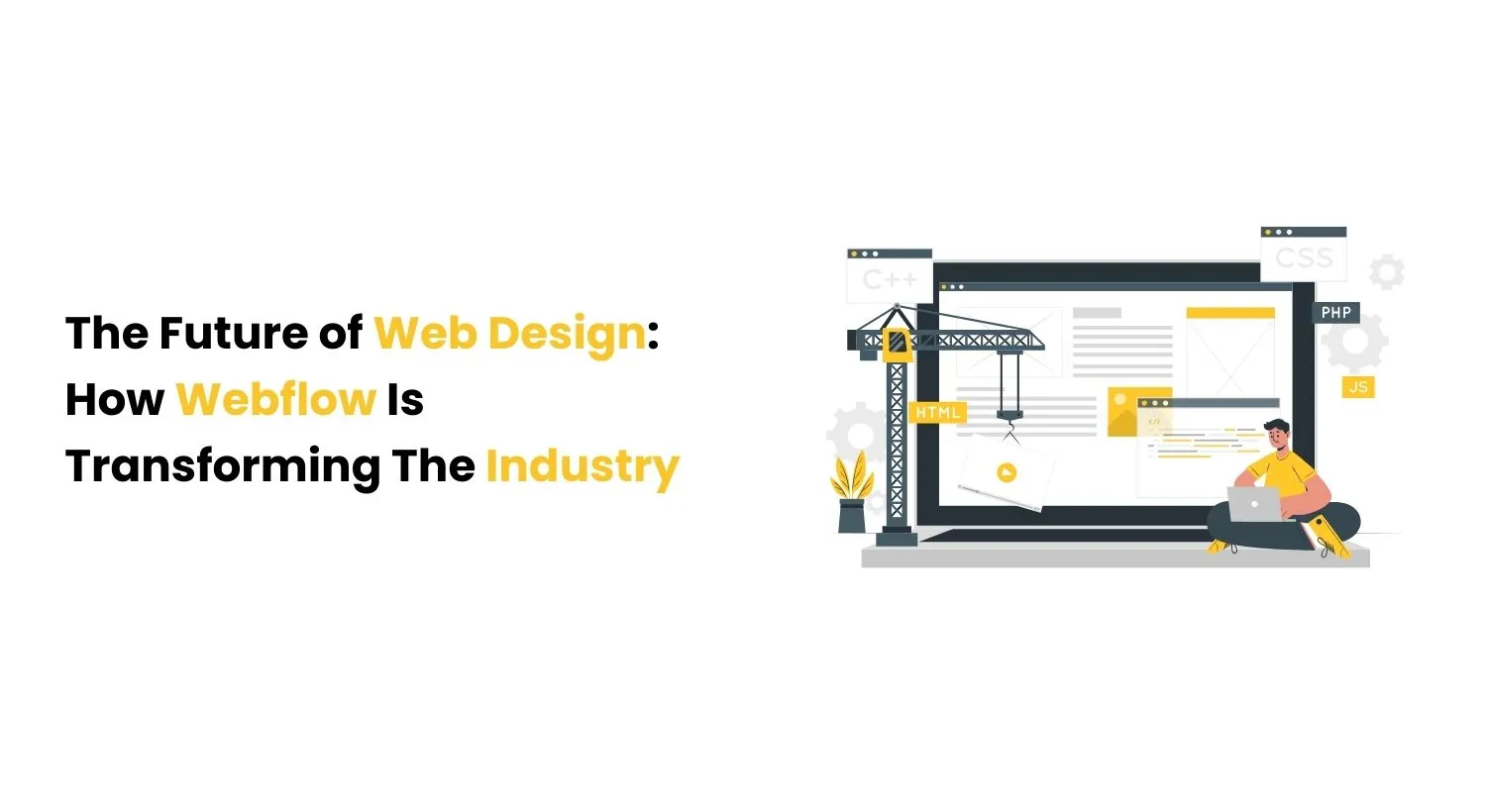
Unlike traditional website builders, Webflow provides a completely visual interface for creating websites. Designers can make layouts, add robustness, and acclimate styles using an intuitive drag-and-drop system. The stylish part? It’s fully customizable, so you have full control over every element on the runner.
For many designers, writing code can be a daunting task. Webflow eliminates the need for rendering by furnishing a visual terrain that generates clean, product-ready HTML, CSS, and JavaScript. It bridges the gap between designers and developers, allowing brigades to unite more effectively without demanding specialized moxie.
In moment’s mobile-first world, responsive design is a must-have. Webflow allows you to design websites that automatically acclimatize to different screen sizes. You can exercise how your point will look on colorful bias, icing that druggies have a flawless experience whether they’re browsing on a desktop, tablet, or smartphone.
Webflow stands out by furnishing advanced commerce and vitality tools. These allow designers to produce engaging, interactive gests for druggies. Whether it’s hang goods, scrolling robustness, or custom transitions, Webflow enables designers to bring their vision to life in ways that were formerly only possible with custom development.
SEO (Search Engine Optimization) is pivotal for icing that your website is discoverable by search machines. Webflow’s SEO features include built-in tools that make optimizing your site easy. From customizable meta markers and alt textbook to the capability to produce clean, SEO-friendly law, Webflow helps you insure your point performs well on hunt machine results runners (SERPs). The platform’s intuitive design also makes it easy to track and ameliorate your point’s SEO performance over time.
One of Webflow’s name features is its CMS (Content Management System), which allows you to manage and modernize content stoutly without counting on a inventor. You can produce custom content types, similar as blog posts, portfolios, or case studies, and set up your point so that content is automatically streamlined as you add new particulars.
The CMS is especially salutary for businesses or individualities who need to manage large quantities of content. Whether you’re running a blog, portfolio, or e-commerce point, Webflow’s CMS ensures that your content is organized, easy to modernize, and visually appealing.
Embracing the Future of Web Design with Webflow is revolutionizing web design by making it more accessible, customizable, and effective. Whether you are a seasoned developer or just starting out, Webflow offers a platform that allows you to produce beautiful websites with ease. With its visual design tools, important CMS, and responsive features, Webflow is not only the future of web design — it’s here now, ready to help you bring your ideas to life.
He is the CEO of Appsrow and a Webflow leader based in Ahmedabad, India.
He leads strategy, growth, and overall business direction.
Yes, he actively contributes to the Webflow ecosystem in India.
SaaS, AI, and enterprise businesses.
Growth strategy, digital transformation, and conversion optimization.
By aligning website strategy with business goals and improving conversions.
Turn your website into a growth engine with expert strategy and execution.