




Webflow
May 7, 2026


.png)
For years, running a Webflow site meant clicking through the Designer, updating CMS items one by one, and pulling in developers every time the work moved beyond drag and drop. That equation just changed. With the official Webflow connector for Claude, you can now talk to your site in plain English and watch it respond. Pages get audited. CMS items get created in bulk. Style systems get cleaned up. Localized landing pages get drafted in minutes instead of hours. The connector is built on Webflow's Model Context Protocol (MCP) server, which gives Claude real, governed access to your Designer and Data APIs. In practical terms, that means Claude is no longer just a brainstorming partner sitting next to your browser tab. It is an operator inside your site, executing tasks you would normally schedule across multiple team members and several days of work.

This shift matters because the bottleneck in most Webflow projects has never been ideas. It has been execution. Every team has a backlog of SEO fixes, content updates, class cleanups, and new pages waiting for someone to find the time. The Webflow + Claude connector compresses that backlog dramatically. Below are five concrete things you can do with it today, the kind of work that pays for itself the first week you turn it on.
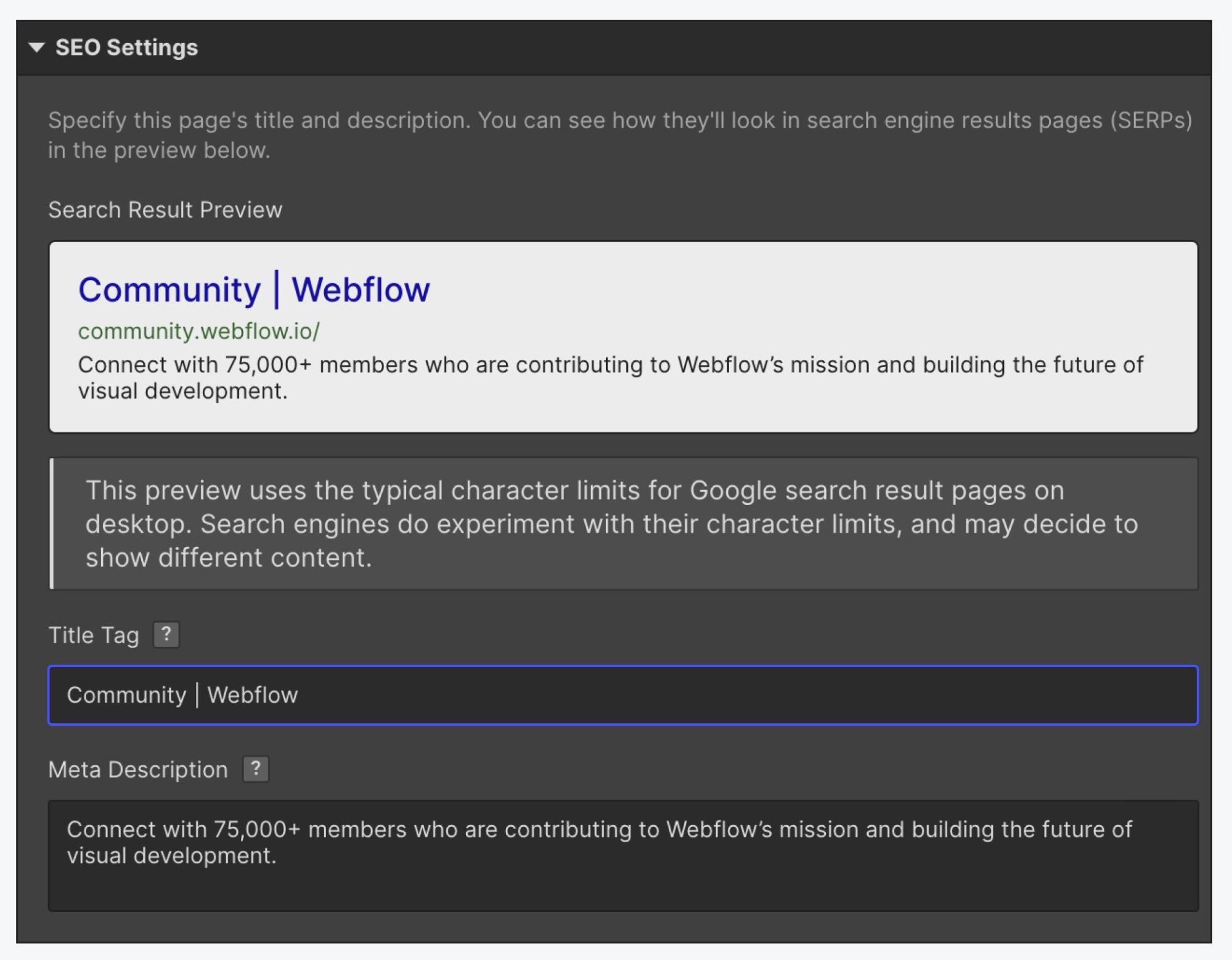
SEO maintenance is one of those tasks that everyone agrees is important and almost no one keeps up with. Meta titles drift past 60 characters. Descriptions go generic. Images get uploaded without alt text. Slug structures lose their logic as the team grows. On a 50 page site this is annoying. On a 200 page site with hundreds of CMS items, it is a full week of focused work that rarely gets prioritized.
With Claude connected to Webflow, the entire audit collapses into a single working session. You can ask Claude to list every page and CMS item on the site, flag any meta title over 60 characters, flag any description over 155 characters, identify missing alt tags on CMS images, and check whether the main keyword from the slug actually appears in the title. Claude returns the findings in a structured table, proposes corrected versions for each problem case, and waits for your approval before touching anything. Once you sign off, it applies the fixes directly to Webflow through the Data API.
Example prompt to try:
The real win is consistency. A human auditor gets tired around row 80 and starts approving things they would have rejected at row 10. Claude does not. It applies the same rules with the same precision across the entire site, and the savings on a mid-sized project typically land somewhere between four and eight hours of senior time.
The CMS is where most Webflow sites actually live. Blog posts, case studies, products, team members, locations, FAQs, all of it sits in collections that need constant attention. Adding 20 new product entries the old way meant either manual entry or a CSV import that often broke on reference fields. Updating one field across an entire collection meant clicking into each item, making the change, and saving. For content teams, this was the slowest part of the job.

The Claude connector turns CMS work into a conversation. You can ask Claude to create new items from a list, update specific fields across an entire collection, change category assignments based on rules you define, rewrite portions of existing items to match a new tone, or restructure a blog by reassigning posts to different topic clusters. Because Claude reads the collection schema before acting, the data it writes already conforms to your field types, your reference relationships, and your slug conventions. No broken imports. No fields ending up in the wrong place.
Example prompt to try:
"In my Blog Posts collection, find every item still tagged with the old category 'News' and reassign it to either 'Product Updates' or 'Company News' based on the content of the post. Show me your proposed reassignments in a table before applying."
This is particularly powerful for e-commerce operators and content-heavy sites. Inventory adjustments, price changes, seasonal product launches, blog reorganizations, all of these become tasks you describe rather than tasks you click through.
Any Webflow site that has been live for more than a year tends to accumulate technical debt in its style system. Duplicate classes pile up because two contributors named the same thing slightly differently. Hardcoded color values appear where a CSS variable already exists. Spacing values drift from your design tokens. Component variants multiply for no real reason. The site still looks fine, but the foundation has become hard to maintain, and onboarding a new designer to it costs real time.

Claude can audit the entire class and variable system through the Designer API. Ask it to list every class on the site, identify duplicates or near duplicates, flag naming inconsistencies, find hardcoded values that should be tokens, and surface unused styles that can be safely removed. Claude produces a clean report you can review before any changes are made. With your approval, it can then consolidate duplicate classes, replace hardcoded values with the right CSS variables, and standardize naming across the site.
Example prompt to try:
"Audit all classes and variables in my Webflow site. List duplicate or near duplicate classes, any hardcoded color or spacing values that should be replaced with existing variables, and classes that appear unused. Produce a structured cleanup report with your recommendations, ranked by impact."
For agencies inheriting client sites, this single capability shortens the audit phase of new engagements significantly. For in-house teams, it gives you a way to keep design system hygiene as part of regular maintenance rather than a one-time crisis project.
Most AI writing tools produce generic output that needs heavy editing before it can sit alongside your existing content. Tone is off. Internal linking is missing. Headers do not match your taxonomy. The article reads like an article from somewhere else, which is exactly the problem the Webflow connector solves.
Because Claude can read your existing CMS content directly, it can analyze the structure, voice, and formatting patterns of your published work, then generate new content that replicates those patterns precisely. If your blog uses a specific header hierarchy, embedded tables, internal anchor links, and a recurring section structure, Claude picks that up and applies it to the new piece. If you have a comparison series with a consistent format, it follows that format. If your product pages have a specific layout with consistent fields, it generates new entries that match.
The workflow looks something like this. You give Claude access to the relevant collection. You point it at two or three published items as reference. You provide source material or a brief. Claude drafts a new entry in the CMS as a draft, with the correct structure, the correct metadata, and internal links to related items already in place. You review, adjust a line or two, and publish.
Example prompt to try:

A comparison article that used to take two hours of structural work plus the actual writing now takes 30 minutes total.
Two of the most painful Webflow projects share the same underlying problem: repeating a structure many times with small variations. Local SEO pages are the classic example. You need 20 location specific landing pages, each with the same skeleton but localized data, examples, and language. Done manually, that is two to three days of work. Done with the connector, it is an afternoon.

The flow is straightforward. Claude reads your pillar page and the most relevant case studies or proof points from the CMS. It identifies the sections that need adapting for each target city or region. It generates a localized version for each target with the right examples, statistics, and contextual language. It creates the draft in the CMS with correct metadata. You review the batch, make adjustments, and publish.
Example prompt to try:
Content migration follows a similar logic. Moving 30 consultant pages from WordPress to Webflow used to mean reformatting HTML, cleaning up shortcodes, mapping fields, and configuring redirects, all by hand. Claude can read source pages provided via HTML export, reformat them into clean Webflow compatible structure, push them into the target CMS with proper metadata, and generate the full list of 301 redirects in one pass. The grinding parts of migration disappear from the project scope, which means you can quote migration work more aggressively and deliver it faster.
A few practical notes worth knowing before you turn this on. The Webflow connector requires a paid Claude plan. Setup takes about three minutes from the Connectors menu inside Claude, using standard OAuth to authorize the sites you want to connect. For CMS, metadata, and content operations through the Data API, you do not need the Webflow Designer open. For operations that touch the canvas through the Designer API, the companion app needs to be running. Most everyday work falls into the first category, which is part of why this is so usable for marketing and content teams who do not live inside the Designer.

The other thing to set correctly is approval mode. Claude can run in automatic mode, where it executes changes directly, or manual mode, where it lists each intended change and waits for confirmation. For production sites, manual mode is the right starting point. You see exactly what is about to happen before it happens, which keeps you in control while you learn what the connector is good at.
The interesting part of the Webflow + Claude connector is not any individual feature. It is the closing of the gap between deciding to do something and seeing it live on the site. For most teams, that gap is where projects die. SEO audits sit in spreadsheets nobody acts on. Class system cleanups get pushed to the next quarter forever. Content backlogs grow because the bottleneck is execution capacity, not strategy. By giving Claude real, governed access to your Webflow site, that bottleneck loosens significantly. The work that used to require a sprint now fits inside an afternoon.
This does not mean Webflow becomes a black box you stop understanding. The connector is built around Webflow's existing structure, so everything Claude does is editable, reviewable, and reversible in the same Designer your team already uses. You get speed without giving up control. For agencies, that means more projects shipped per quarter. For in-house teams, it means the maintenance and optimization work that always slipped to the bottom of the list finally starts getting done. If you run a Webflow site and have not turned the connector on, the five minutes of setup is the most lopsided ROI investment available to you this year.
This blog is brought to you by Appsrow, a team with deep, hands-on expertise in Claude integrations and Webflow development. We help businesses connect Claude to Webflow the right way, from setting up the MCP connector and configuring approval workflows, to building custom automations for CMS operations, SEO at scale, content generation pipelines, and full site migrations. If you want to turn the ideas in this post into working systems on your own site, we know the platform, we know the AI layer, and we know how to make the two work together without cutting corners on governance, branding, or design quality. Reach out to talk about your Webflow + Claude project.
Transform your website with expert Webflow development
From brand identity to Webflow development and marketing, we handle it all. Trusted by 50+ global startups and teams.
From brand identity to Webflow development and marketing, we handle it all. Trusted by 300+ global startups and teams.
.png)
.png)


